

Partner guide · Manufacture
Activating a warranty
本指南提供英文和法文版本。
How it works
Direct sale: you activate the warranty at the time of sale. Sale by a retailer: you transfer the watch to their stock. The warranty starts when they sell it. Tracking: the Warranties space gathers your watches in stock, sold and under warranty.
Good to know
Part A
You sell the watch directly
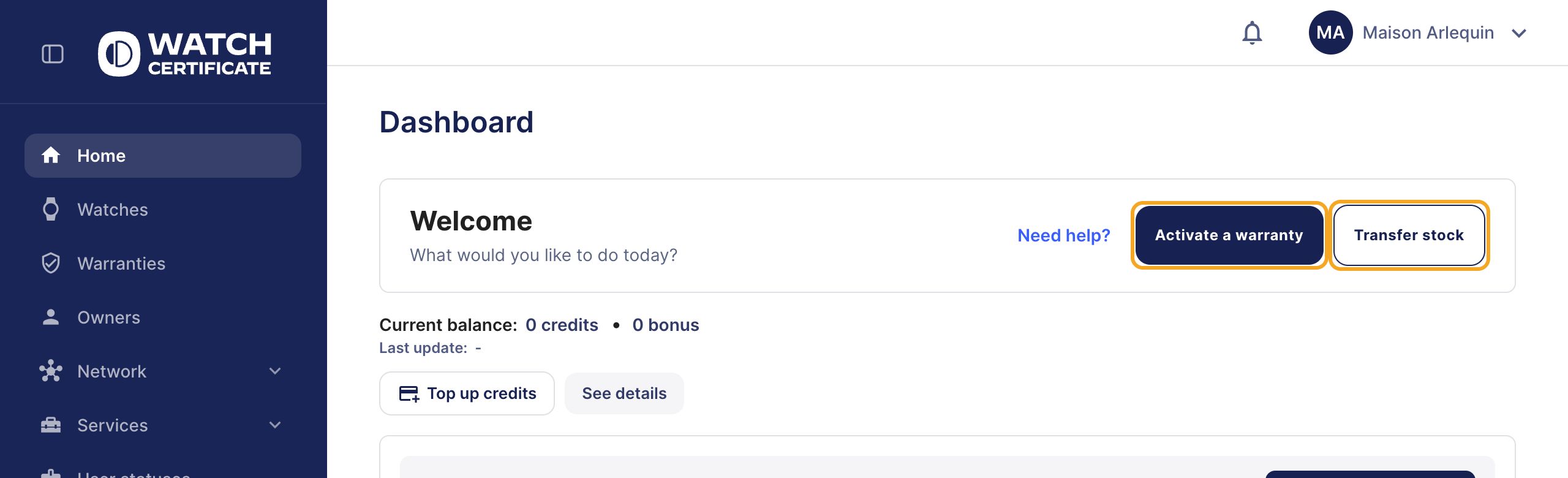
Step 1: click “Activate a warranty”
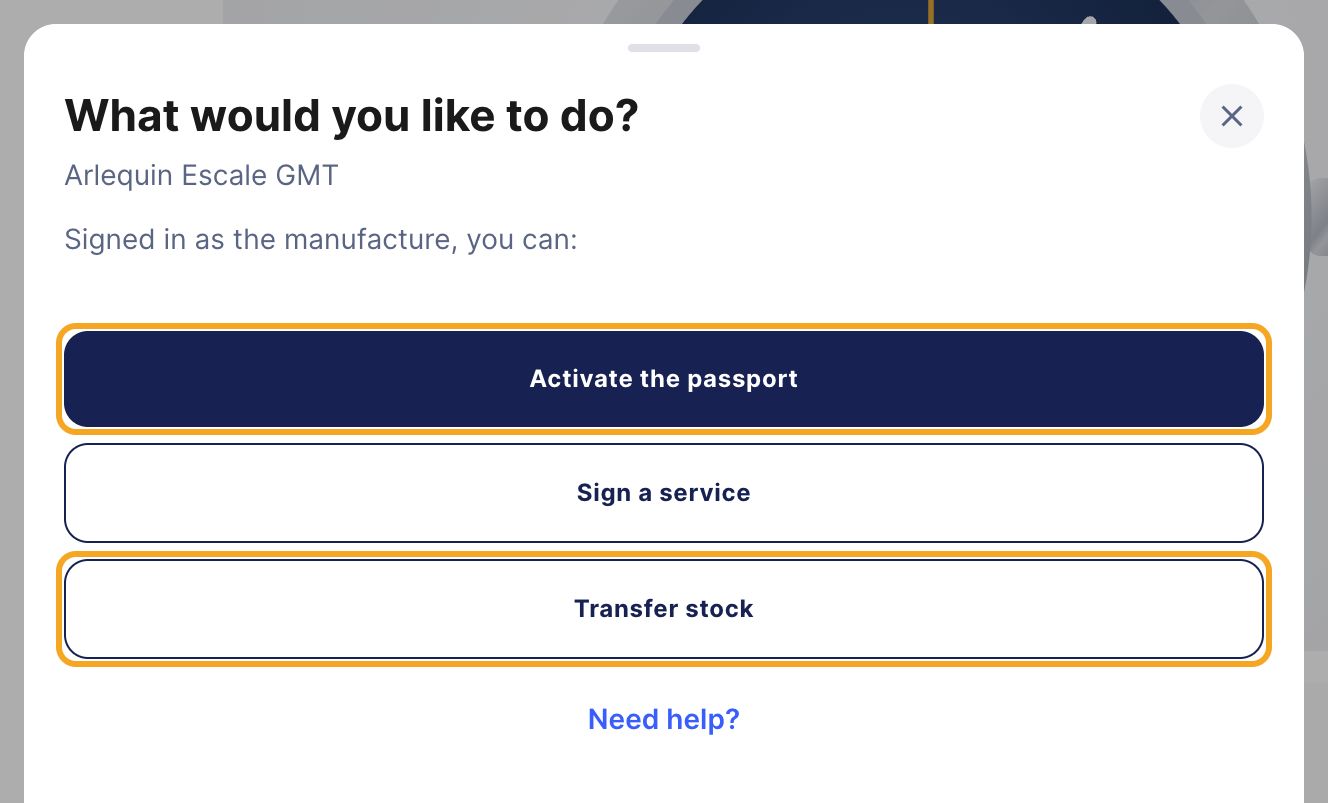
Step 2: click “Activate the passport”
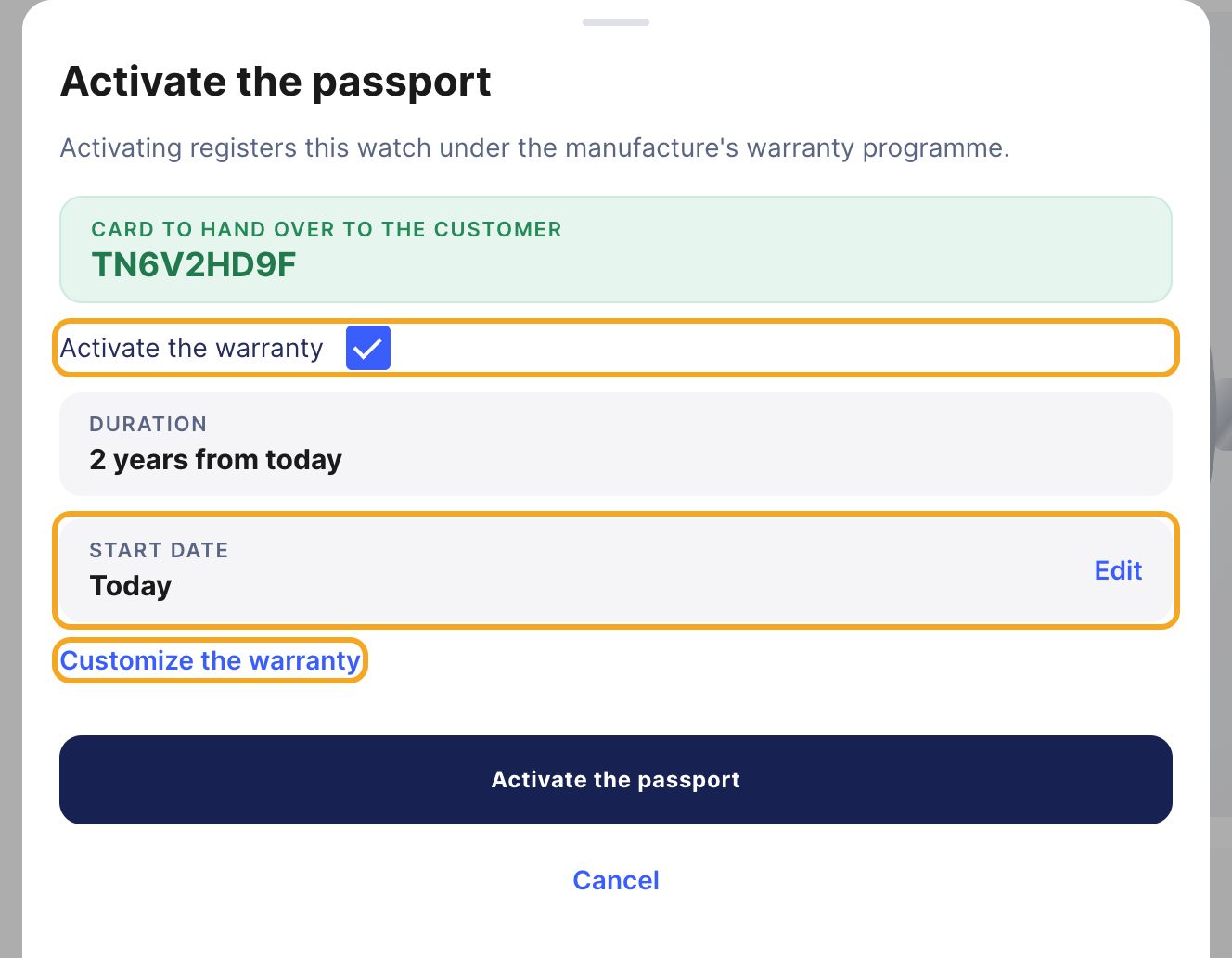
Step 3: check, then activate
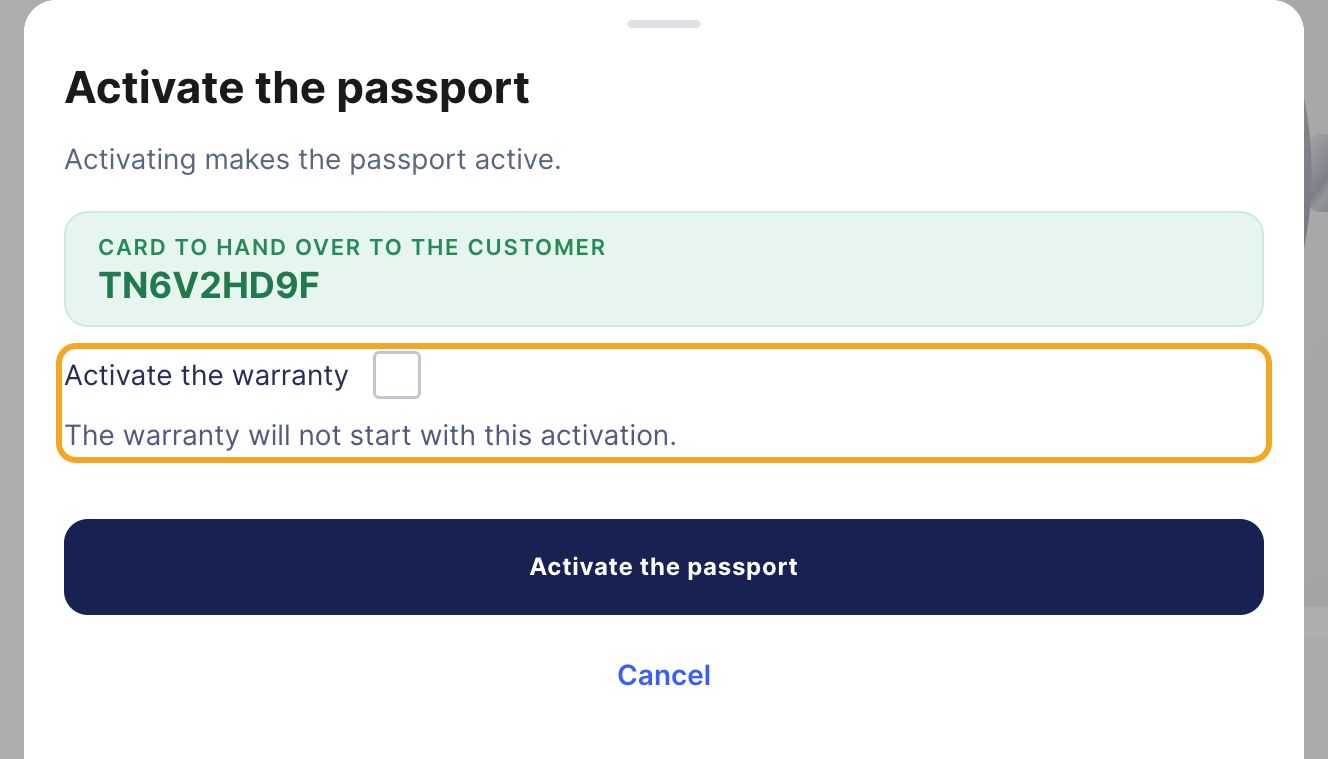
Selling without starting the warranty
Step 4: hand over the card and notify the owner
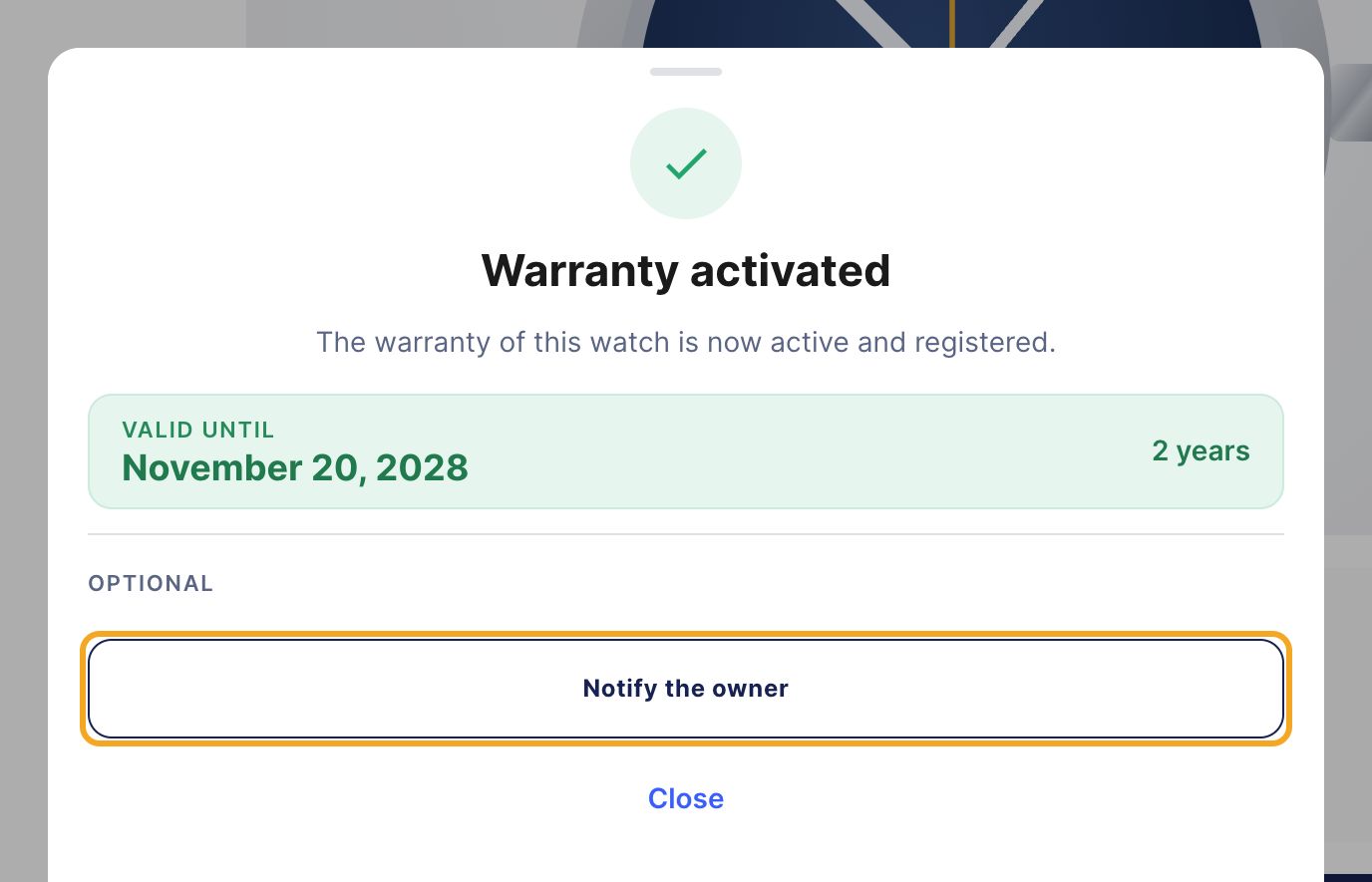
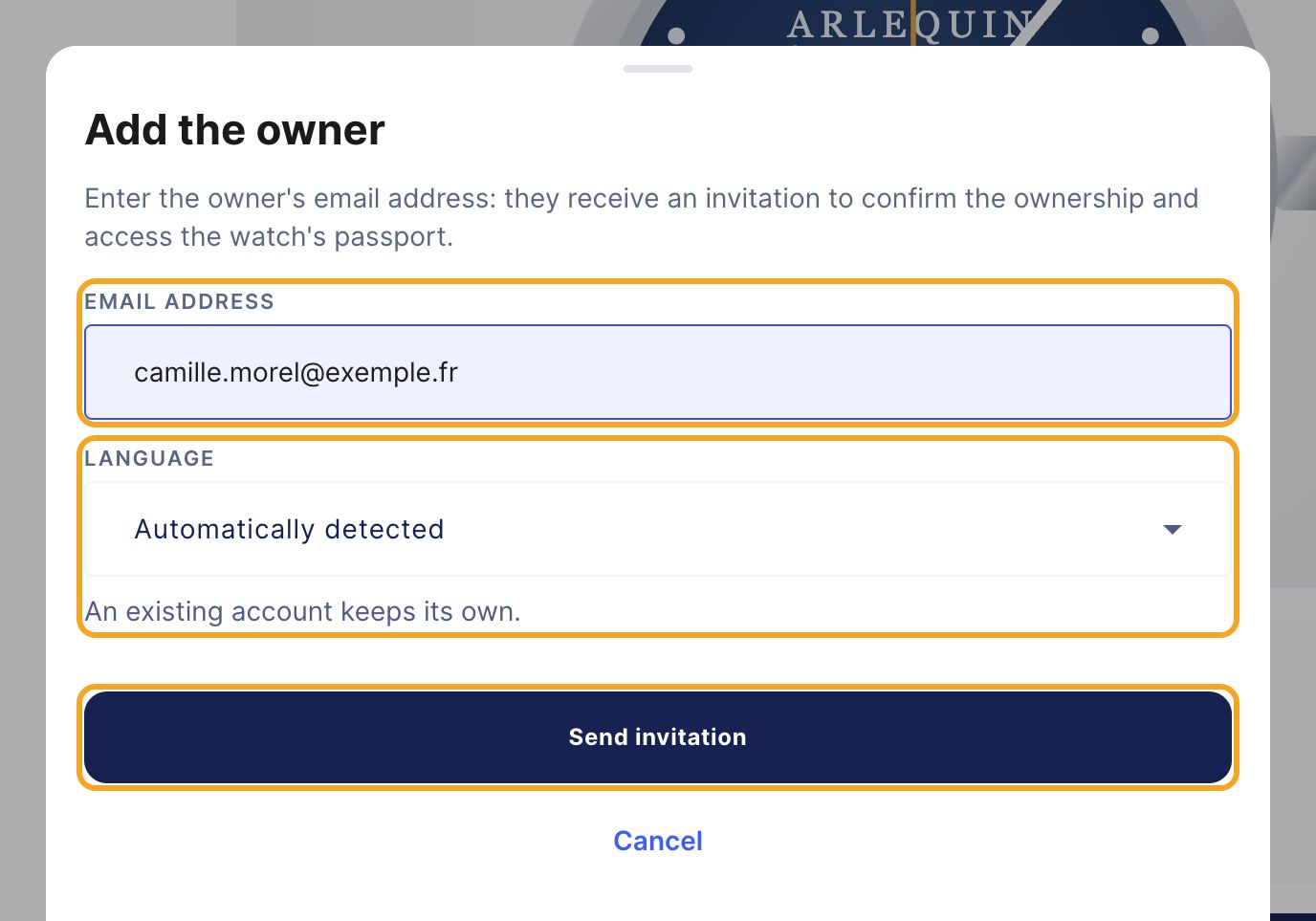
What your customer receives
Part B
You entrust the watch to a retailer
Warning: the transfer does not activate the warranty
Step 1: click “Transfer stock”
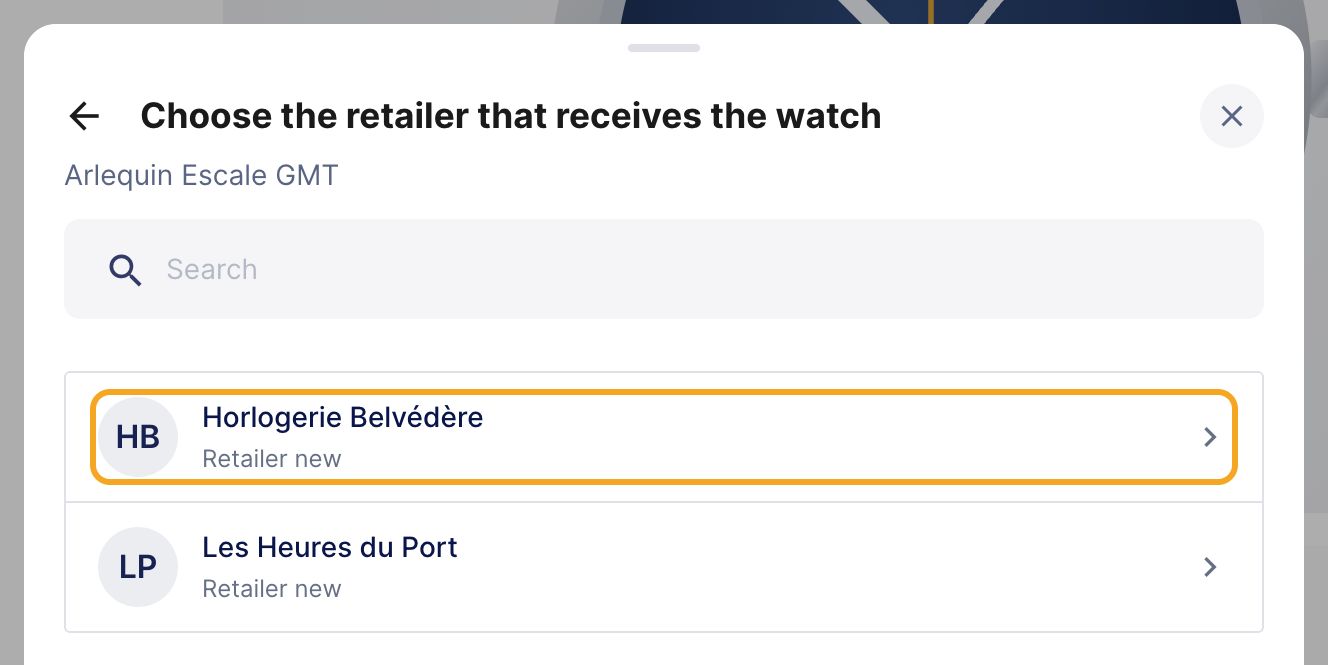
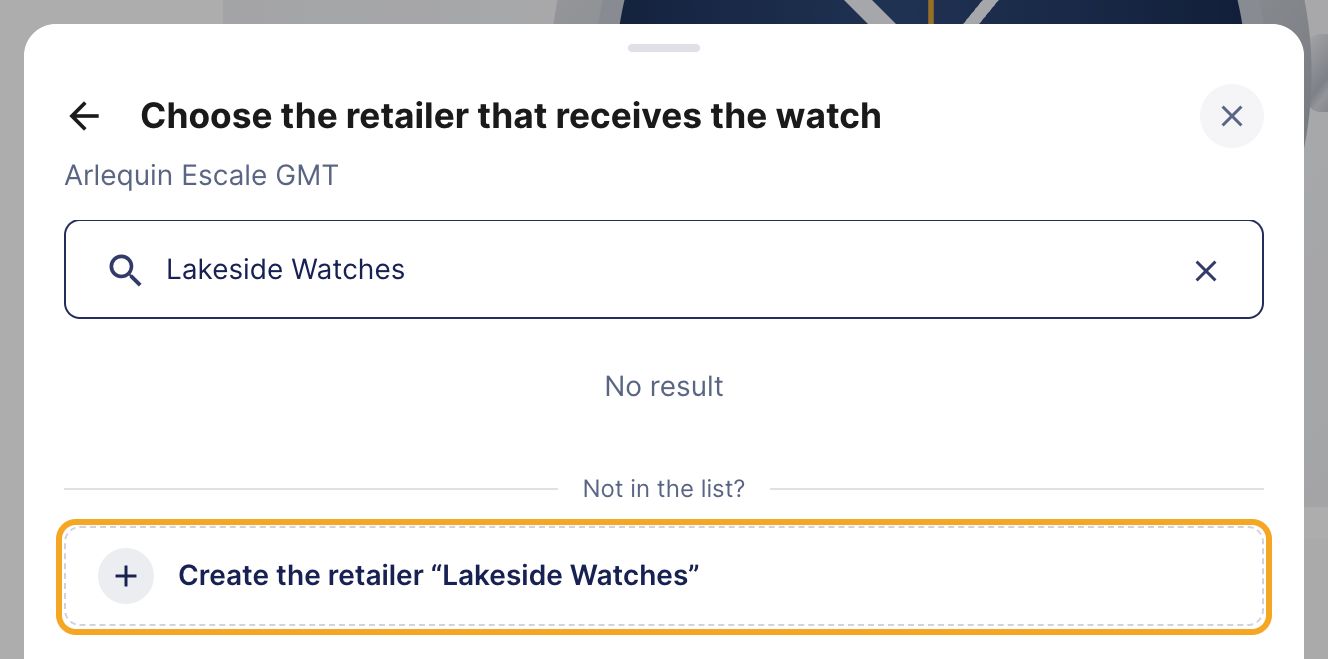
Step 2: choose the retailer
Step 3: confirm
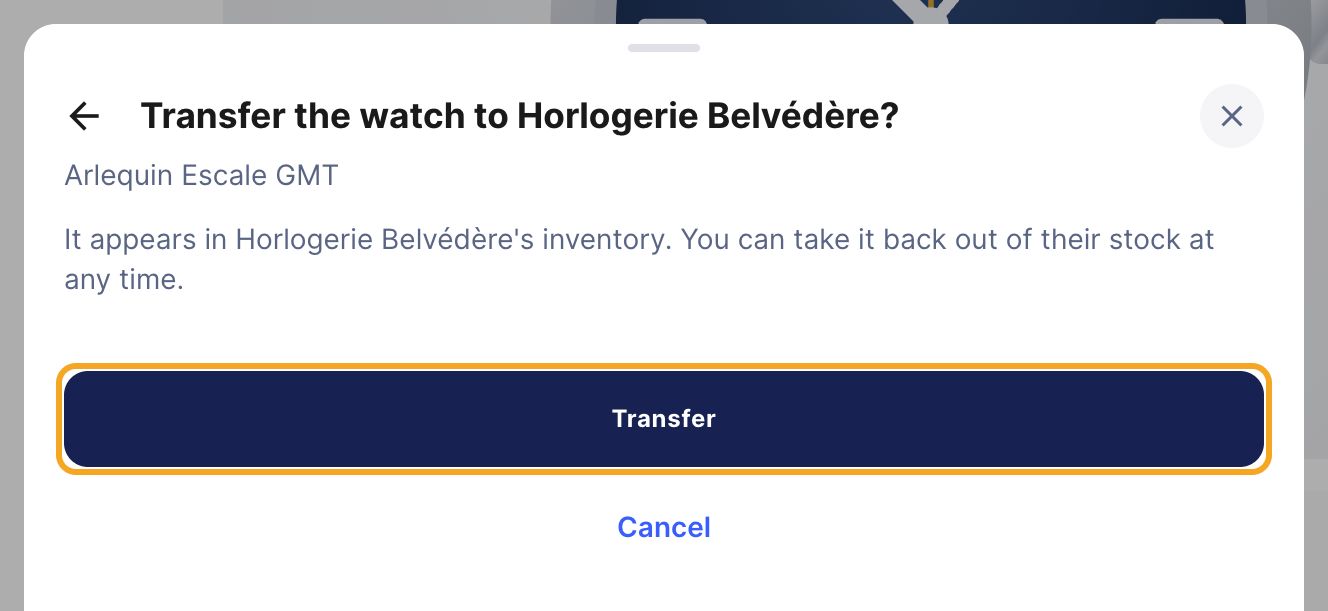
Step 4: check on the passport

Part C
Tracking and correcting
The “Warranties” space
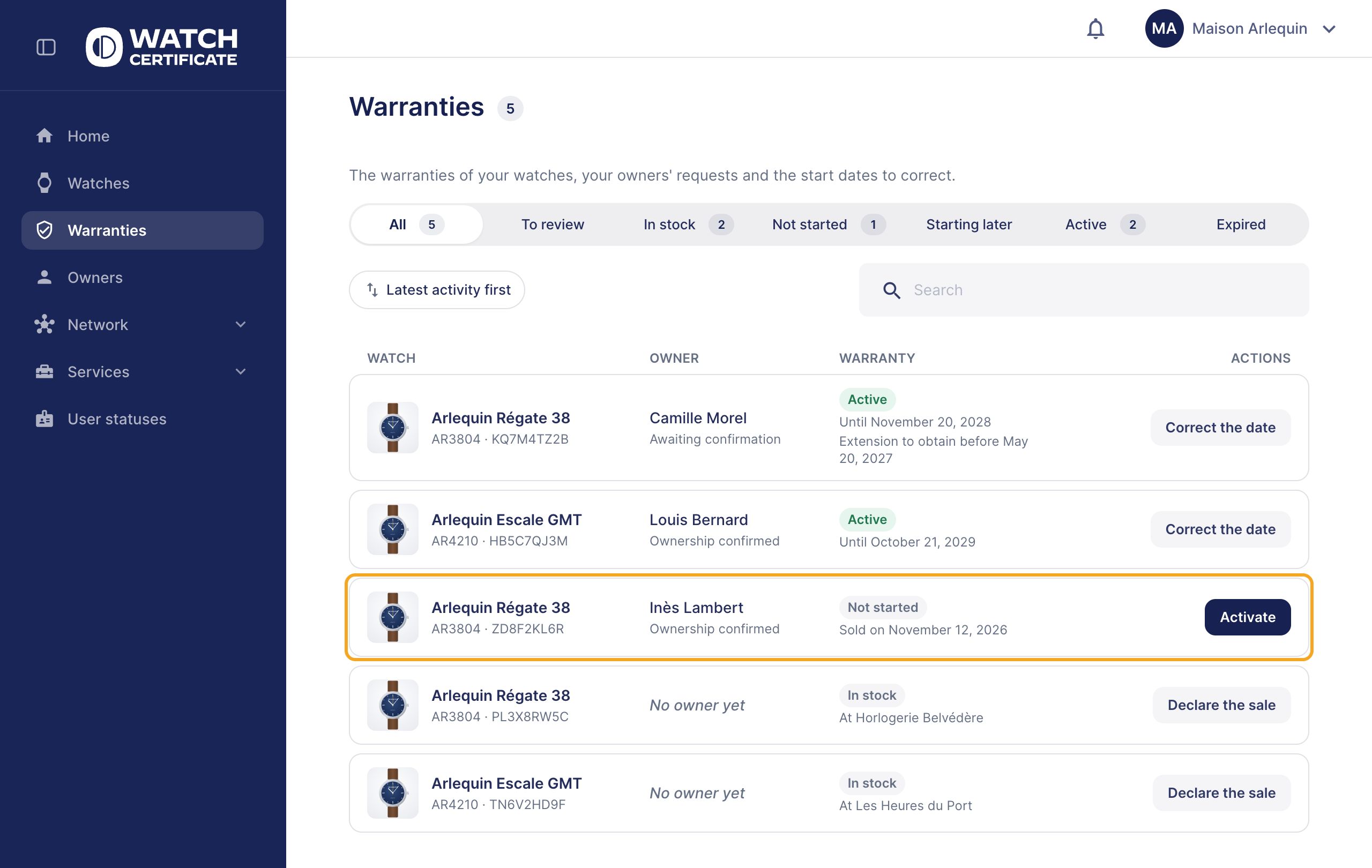
Starting a warranty that has not started
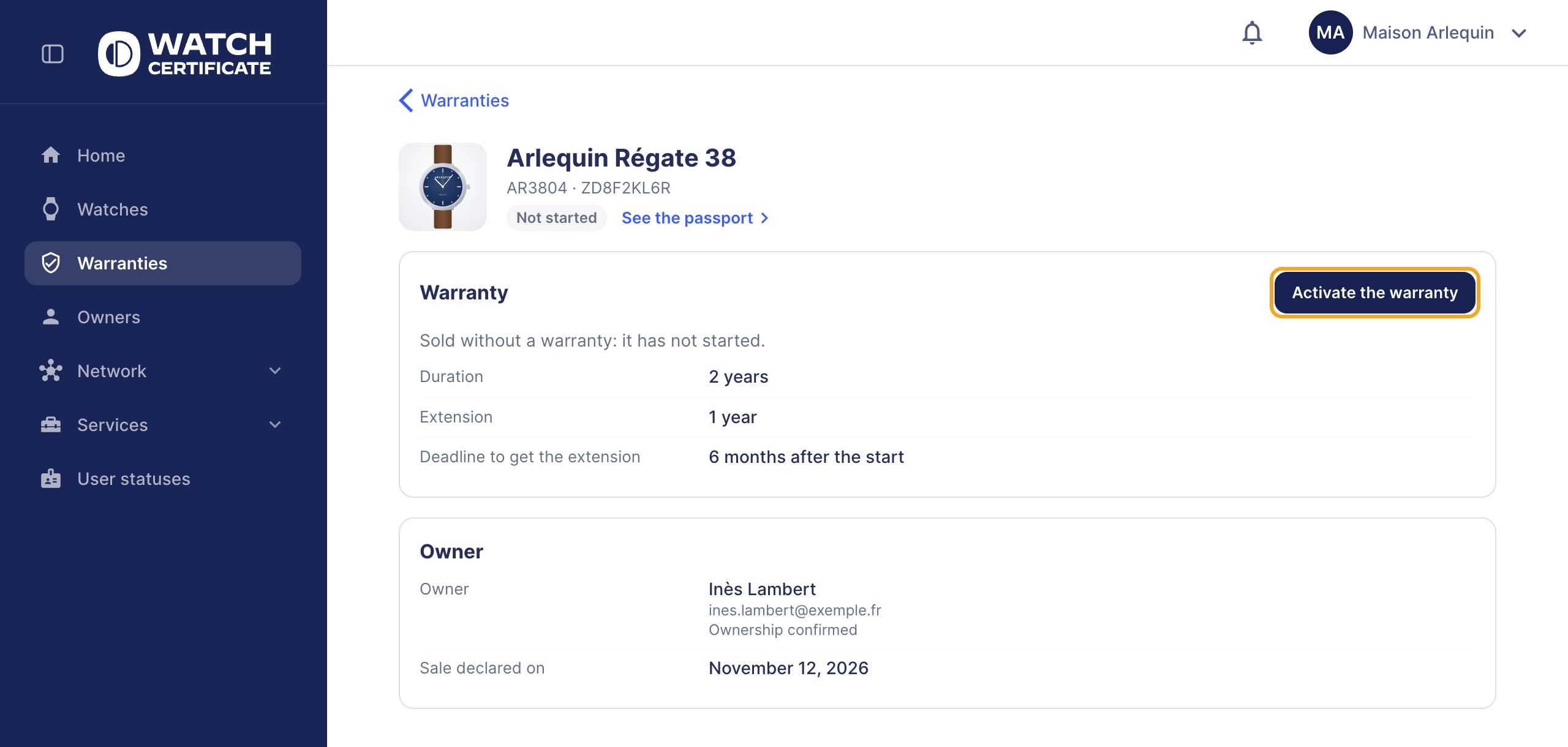
Correcting a start date
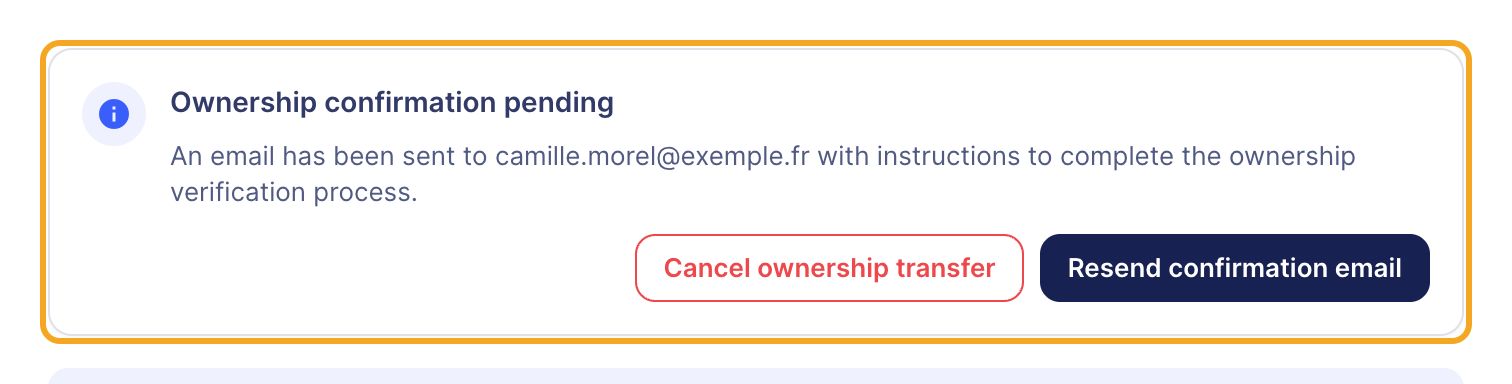
Wrong email address
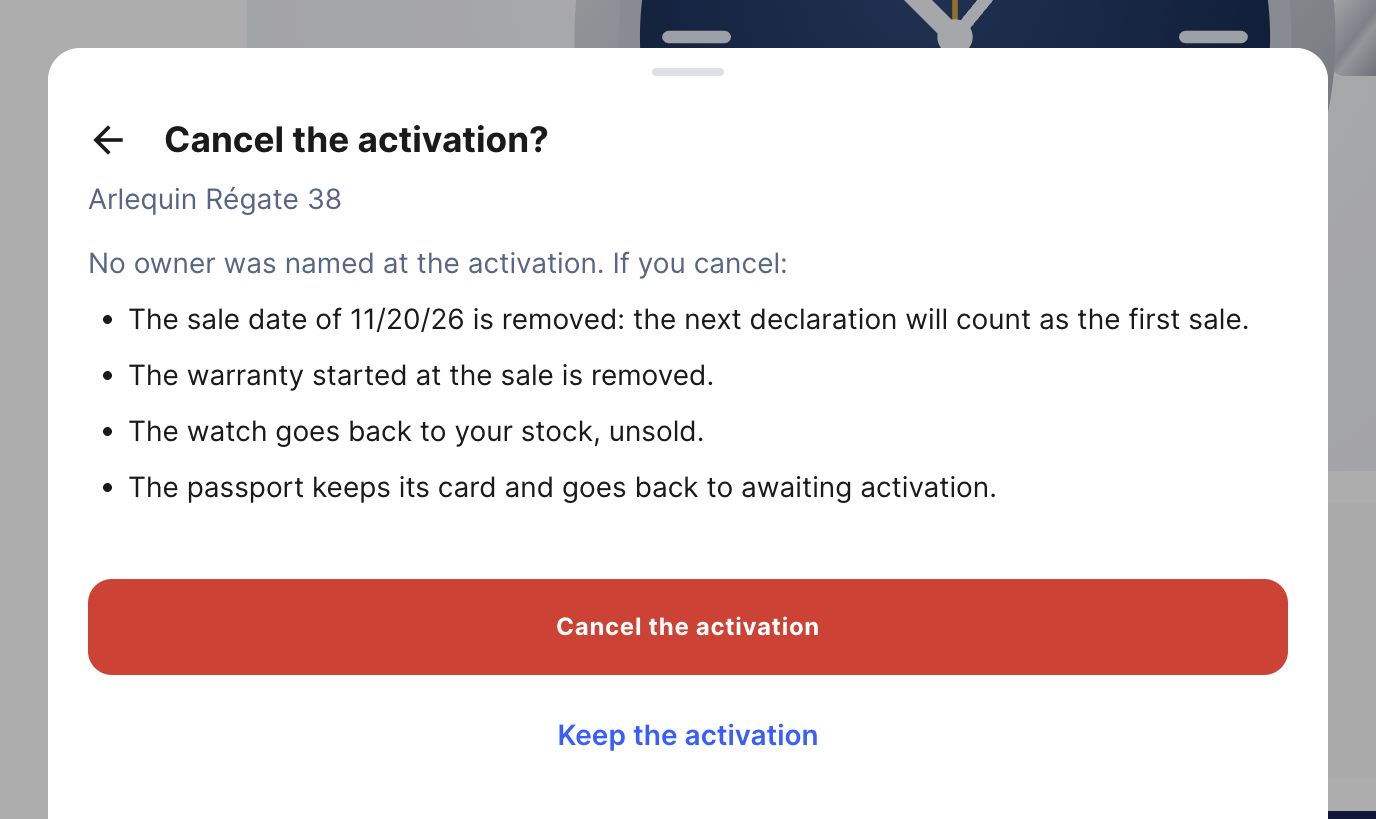
Wrong watch activated
Warning
Quick recap
Direct sale: Activate a warranty, then Activate the passport with Activate the warranty ticked. Check the Start date, hand over the card, then Notify the owner. Sale by a retailer: Transfer stock, choose the retailer, then Transfer. They activate the warranty at the sale. Track everything in Warranties: Activate, Correct the date.
Any question?