

Partner guide · Retailer
Activating a warranty
Questa guida è disponibile in inglese e in francese.
How it works
Find the watch: scan its warranty card or search its serial number. Check the start date, then activate. Hand the card to your customer. Notify the owner (optional): your customer receives an invitation by email. Track your sales in the Warranties space.
Good to know
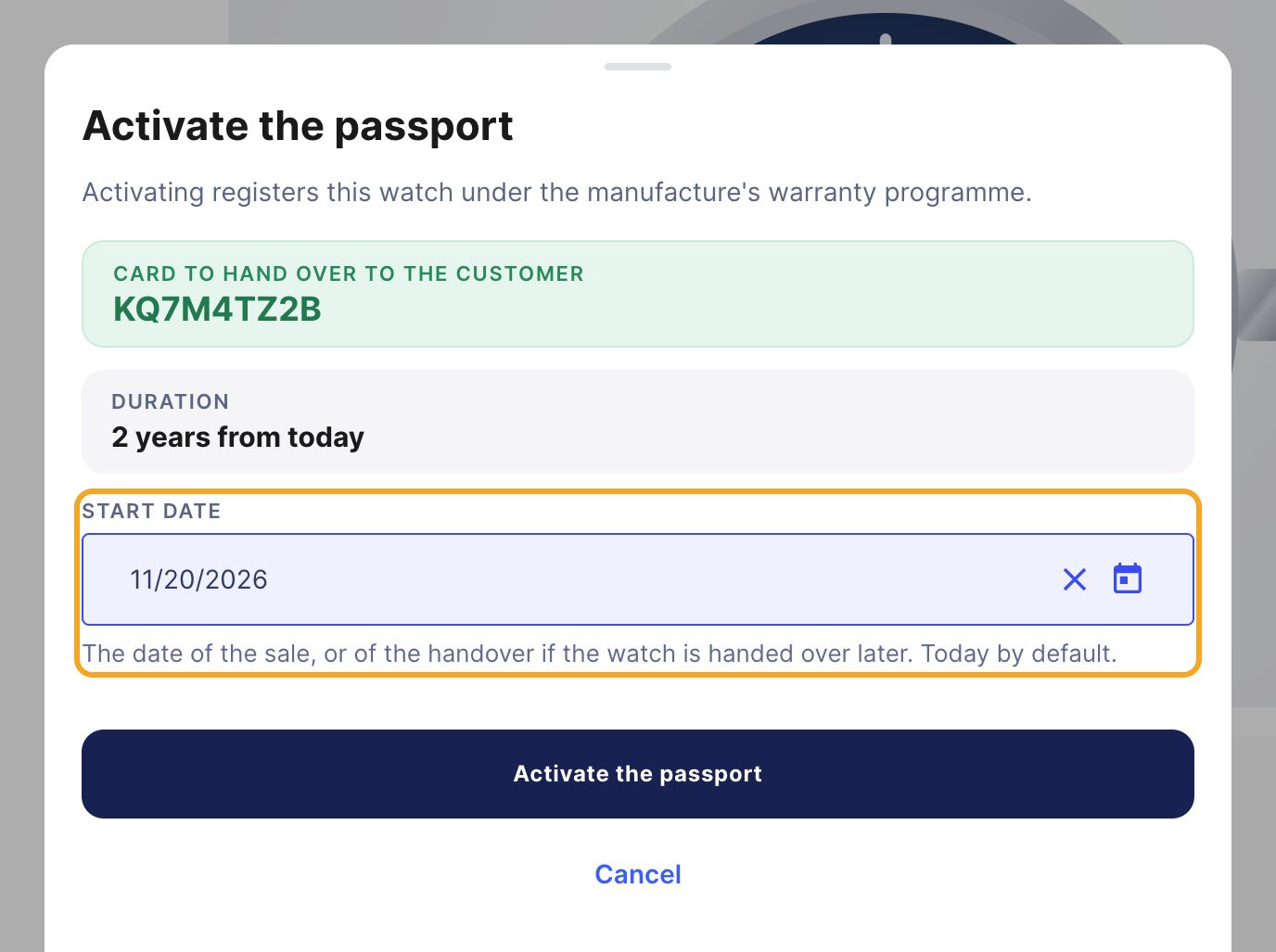
The warranty's start date
Part A
Activating the warranty at the sale
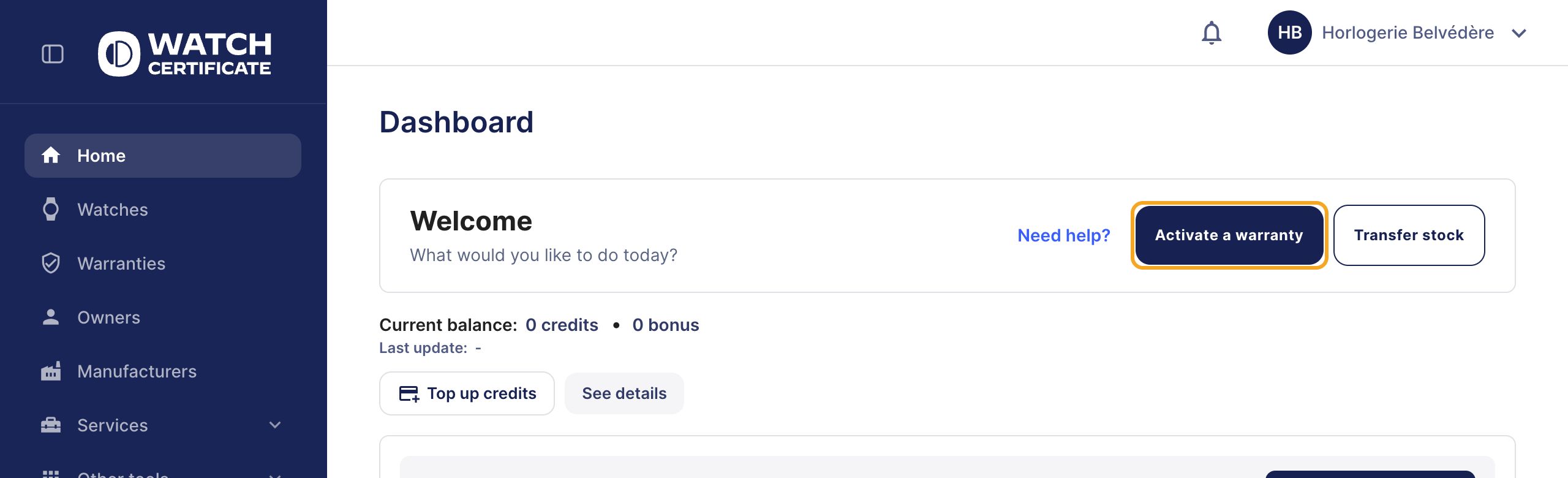
Step 1: click “Activate a warranty”
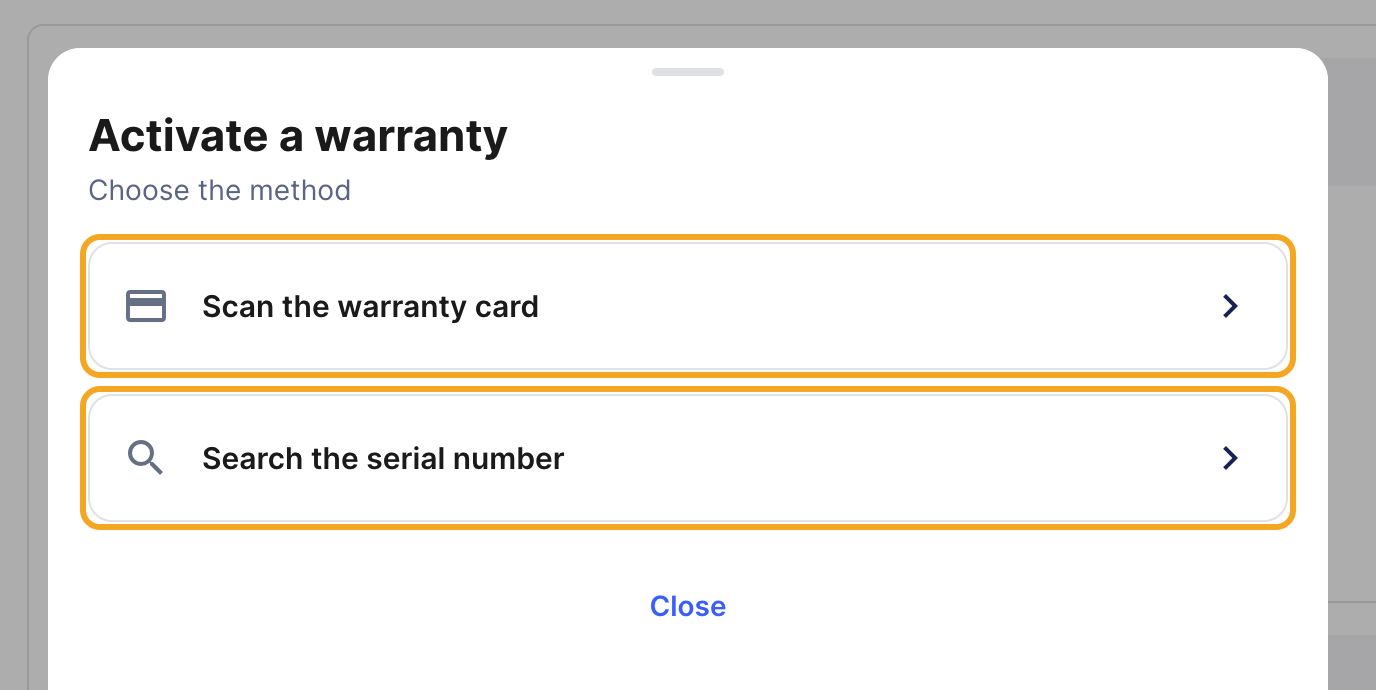
Step 2: choose the method
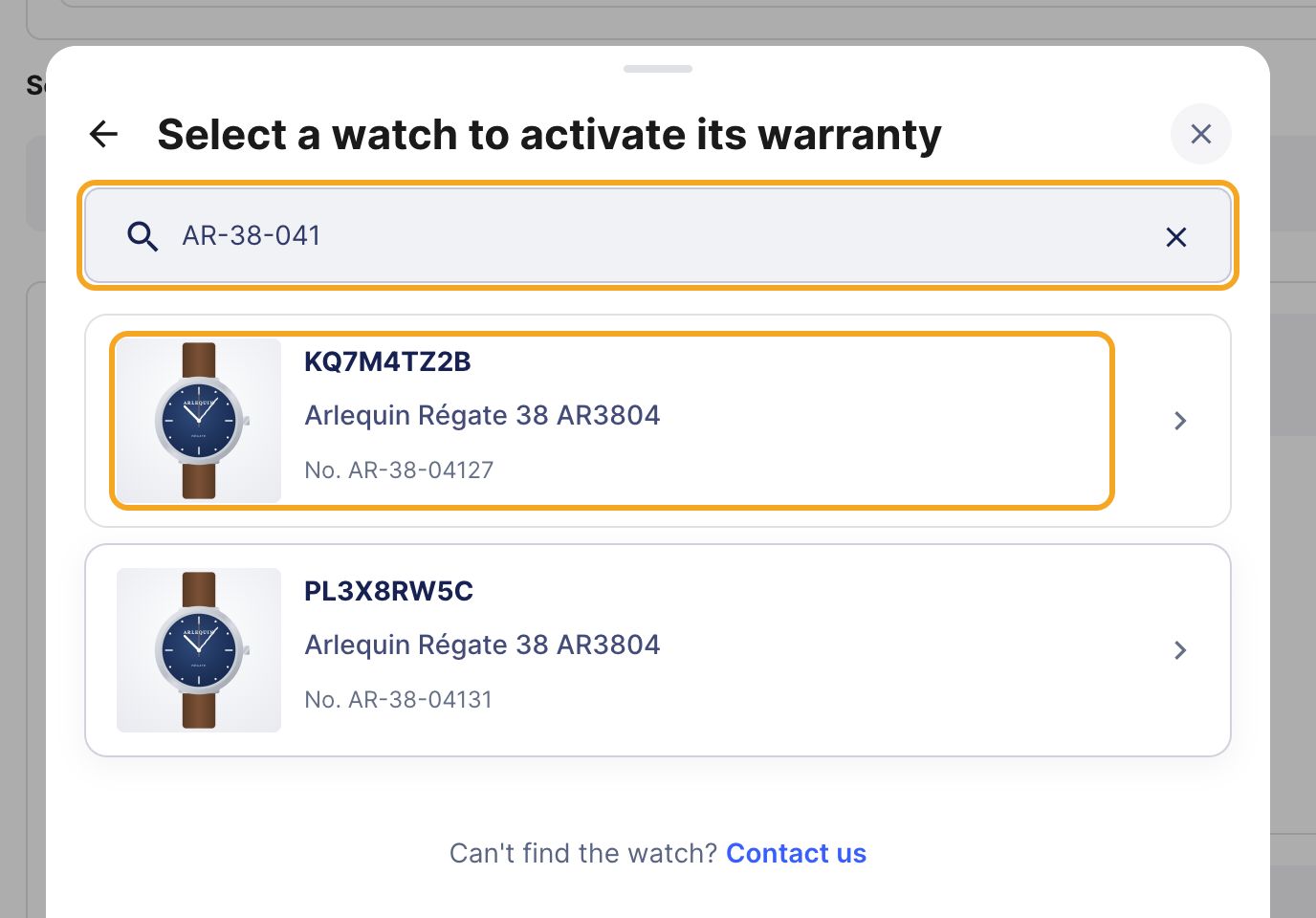
Step 3: select the watch
Tip: you scanned the card?
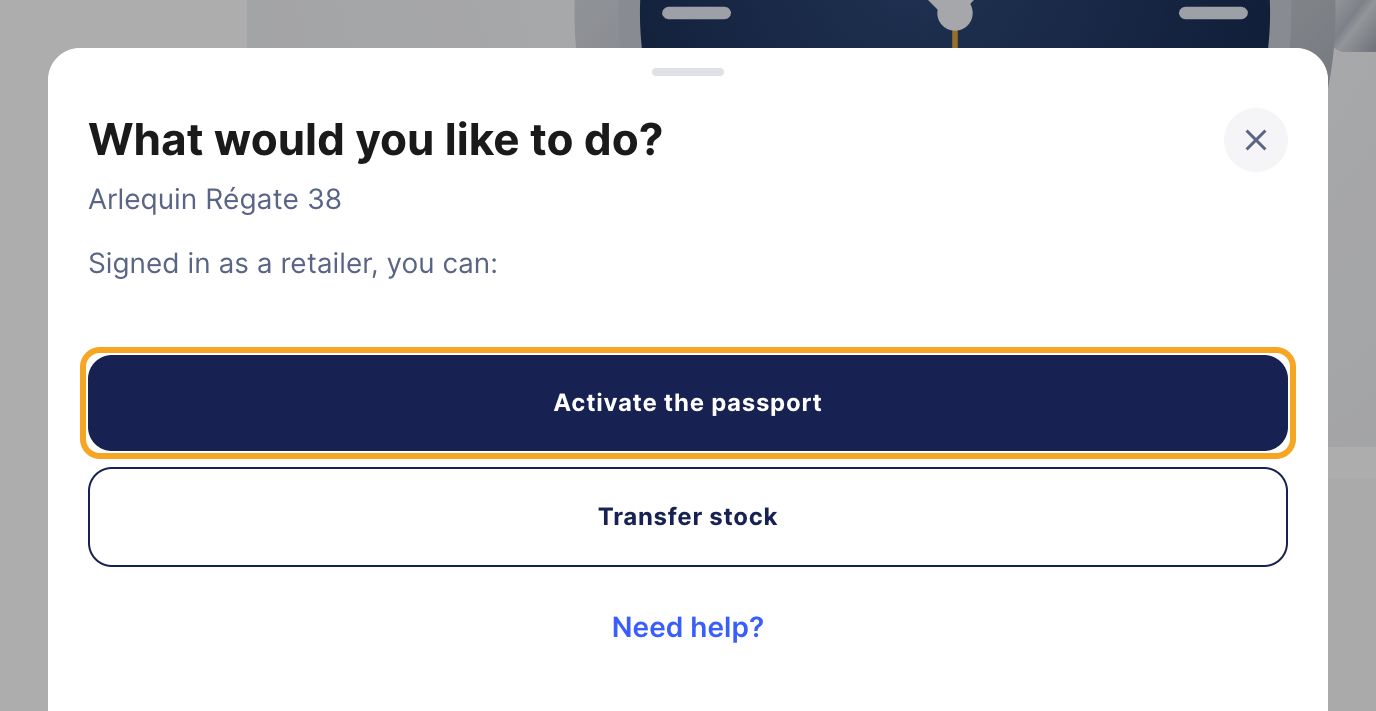
Step 4: check, then activate
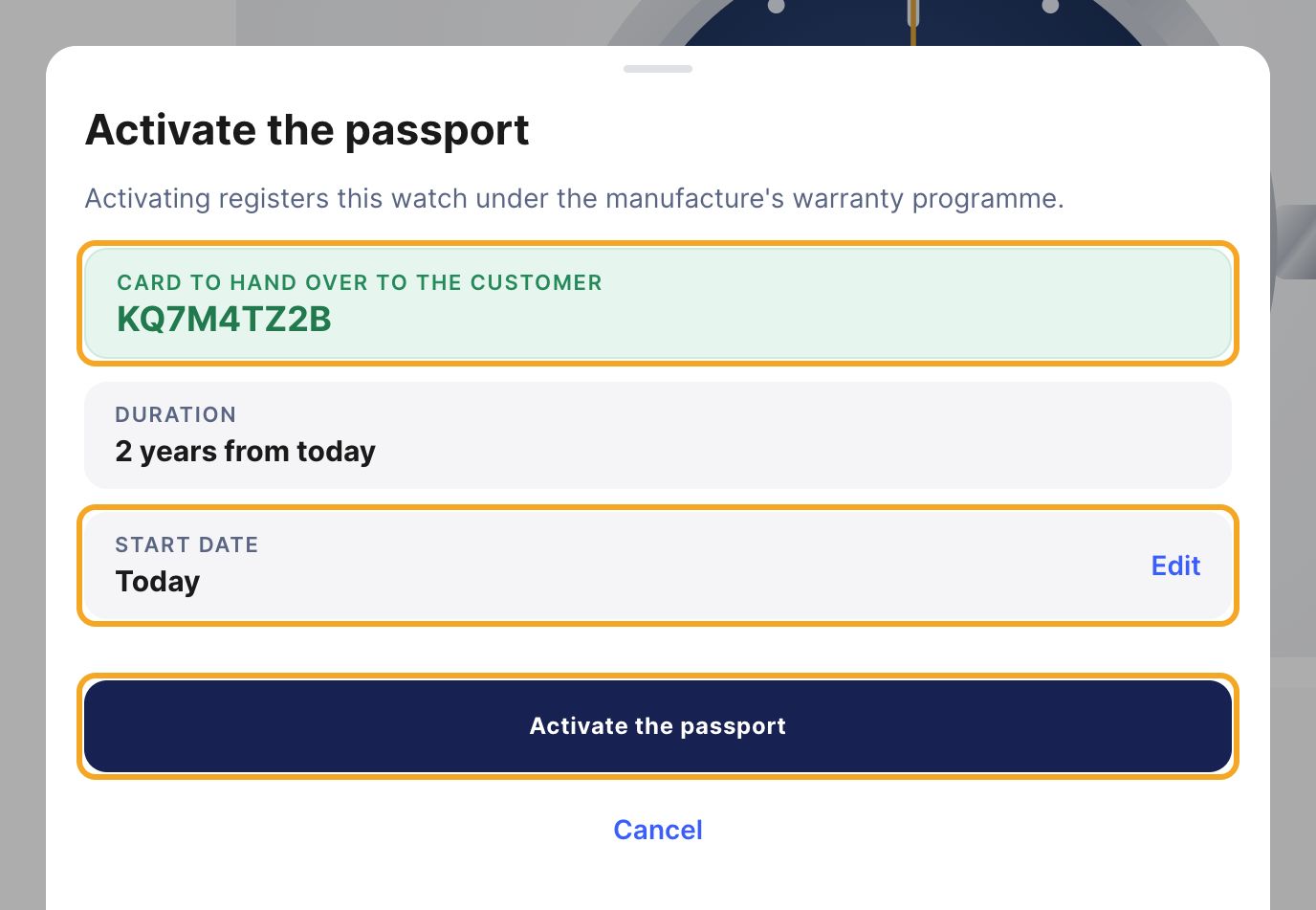
Step 5 (if needed): change the start date
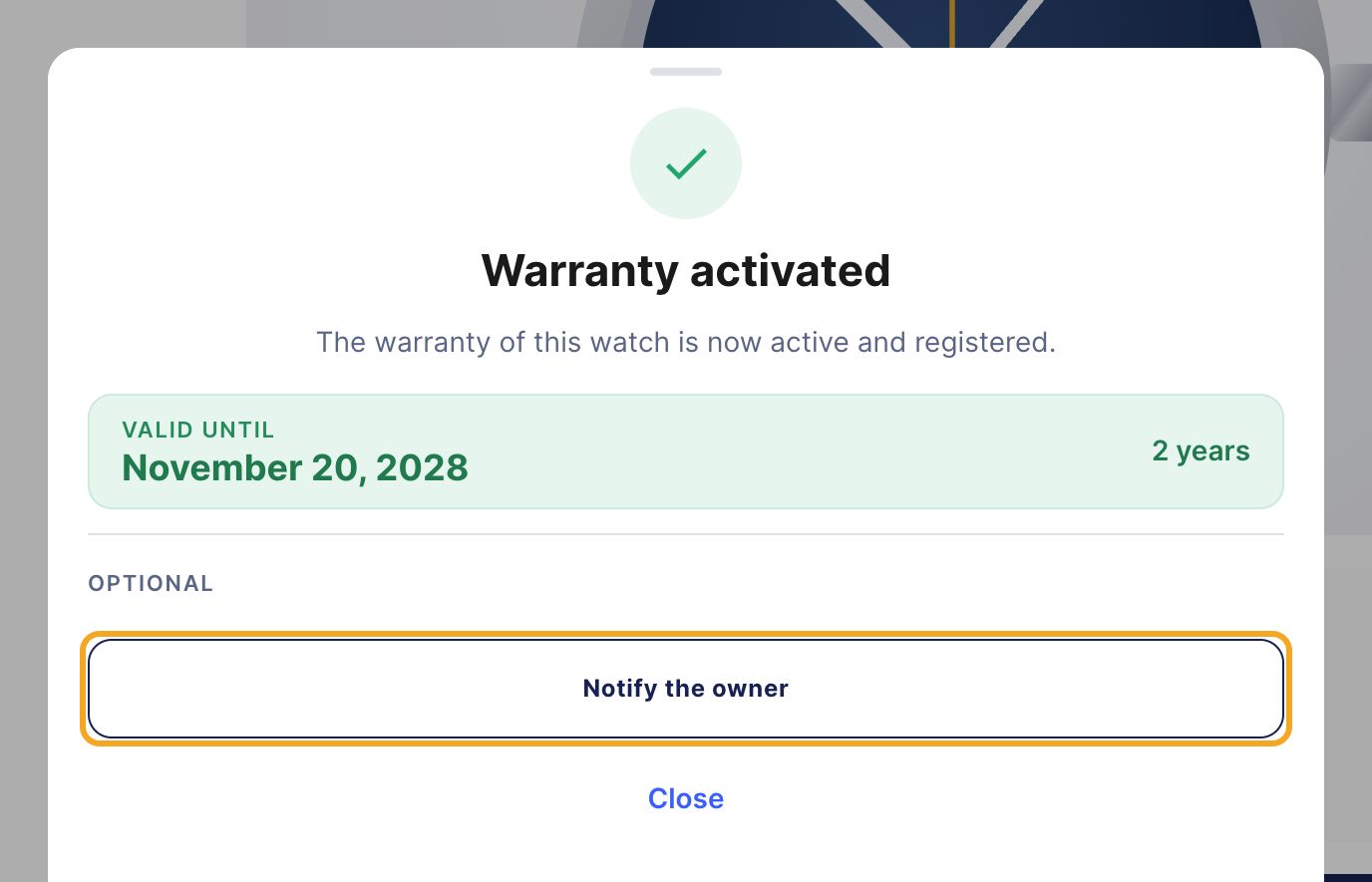
Step 6: hand the card to your customer
Part B
Your customer
Step 7: notify the owner
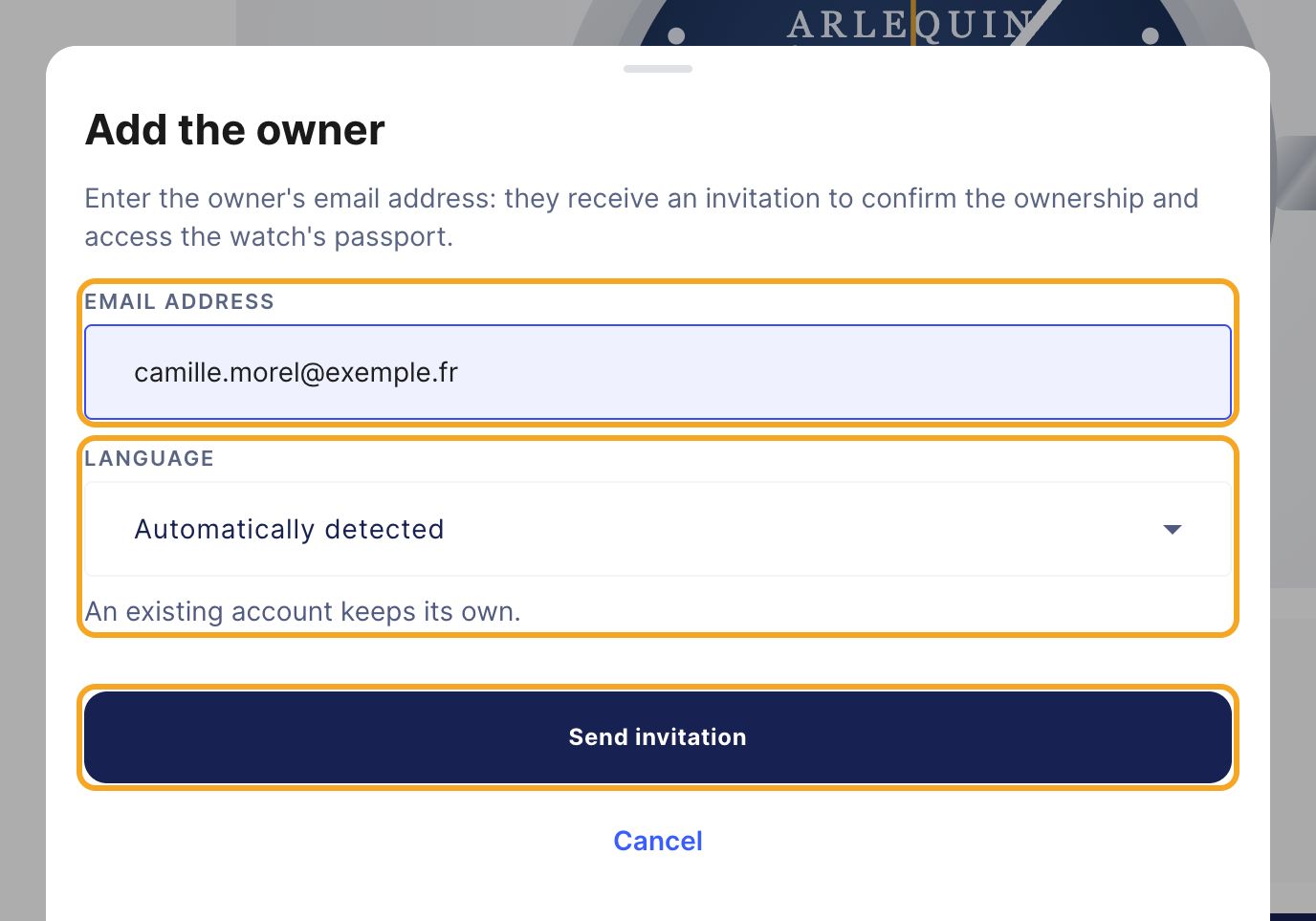
What your customer receives
An email Confirm ownership of your watch, with a Confirm button. Once they confirm, they reach their watch's passport and its warranty. The link is valid for 7 days. Once expired, they get a new one in one click. If they do not confirm, a reminder goes out automatically.
Your customer has no account yet?
Step 8: check the invitation
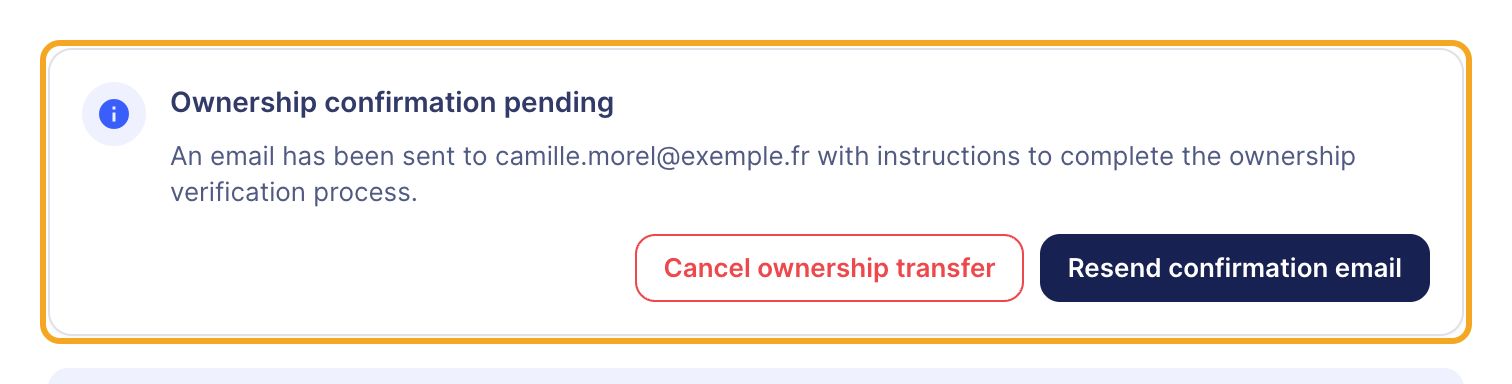
Tip: the customer is not there to give their email?
Part C
Fixing a mistake
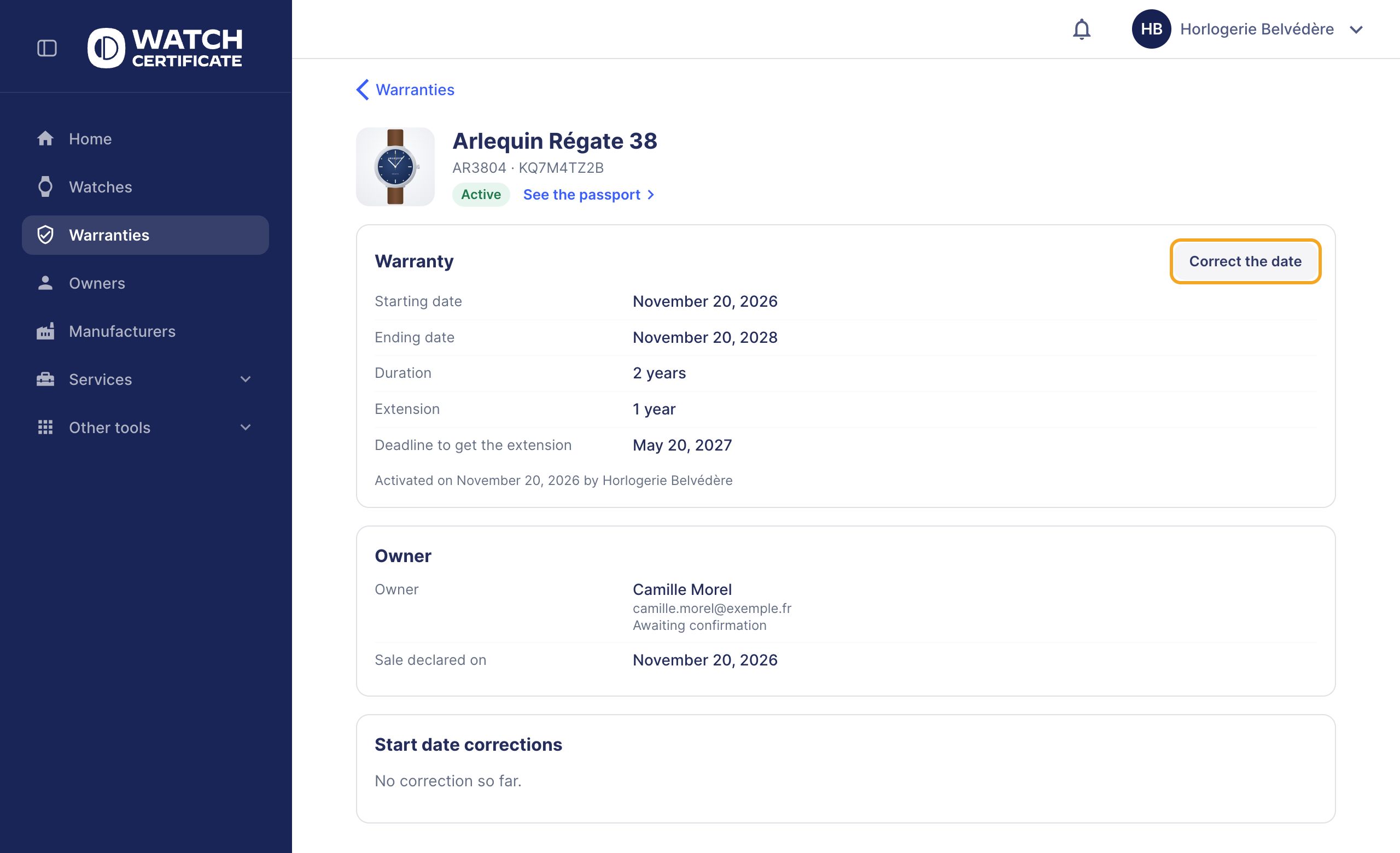
Wrong email address
Wrong start date
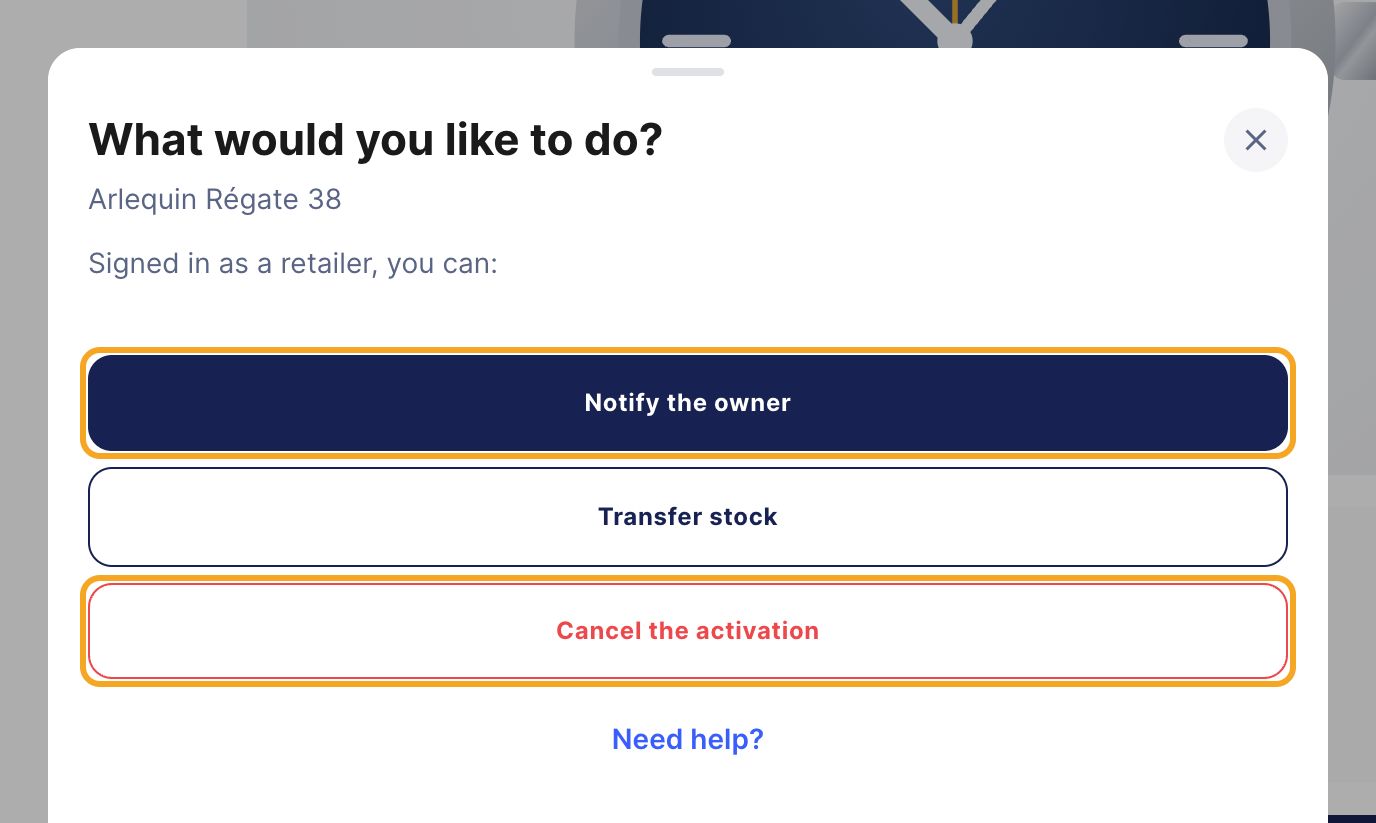
Wrong watch activated
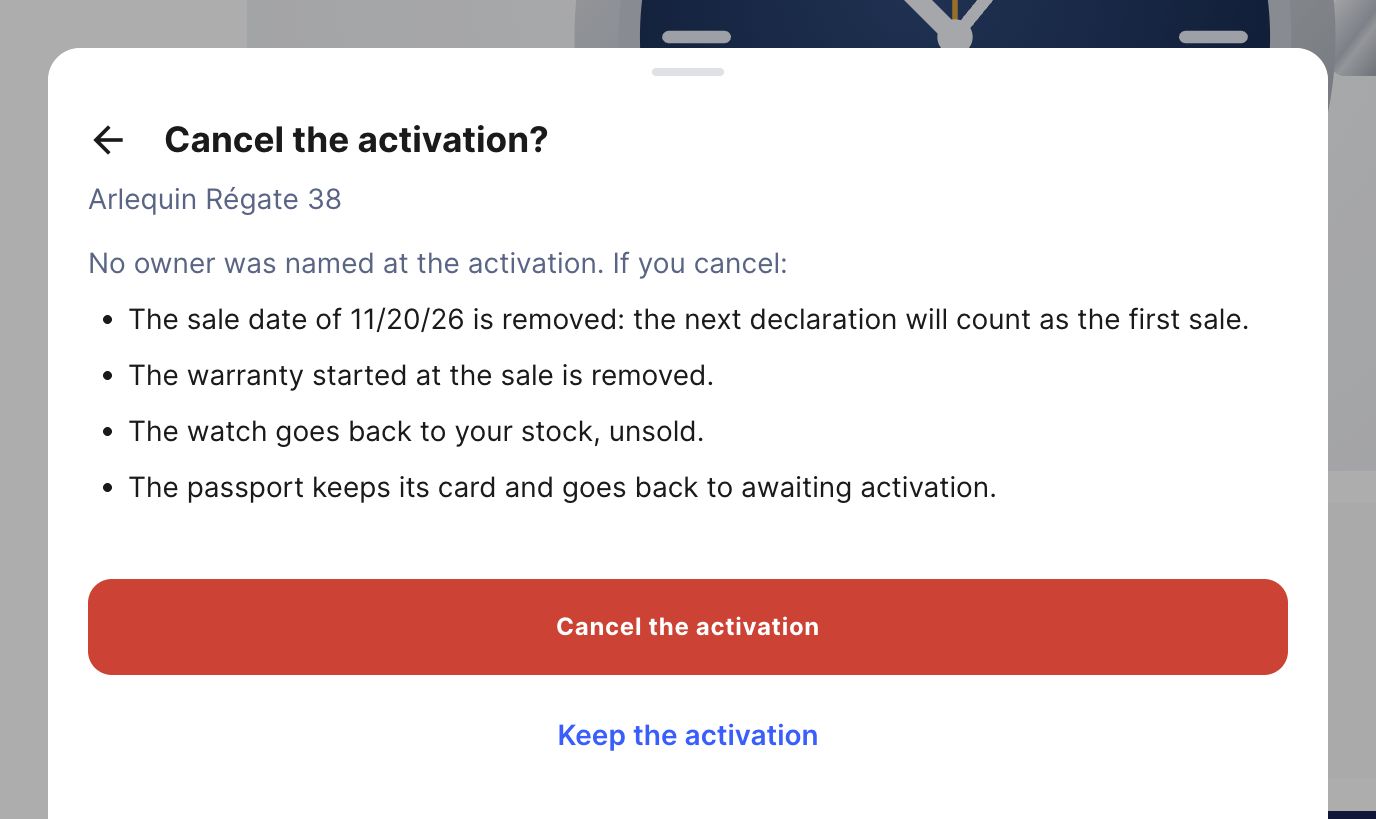
Warning
Part D
Finding your warranties
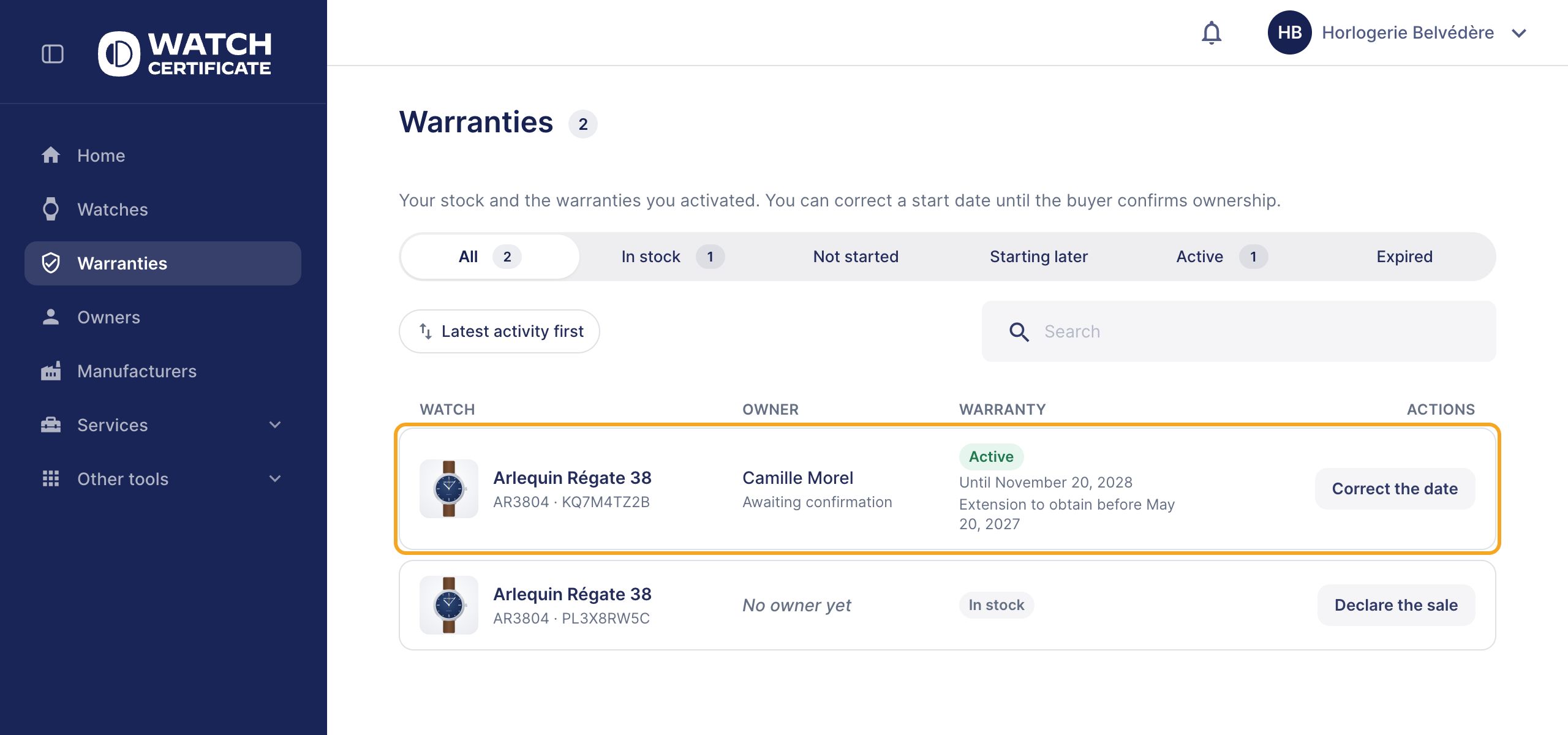
The “Warranties” space
Quick recap
Home › Activate a warranty, then scan the card or search the serial number. Check the Start date (Edit if needed), then Activate the passport. Give the warranty card to your customer. Notify the owner: their email, then Send invitation. A mistake? Correct the date, Cancel ownership transfer or Cancel the activation.
Any question?